Hide the noise
Remove banners, sticky bars, sidebars, comment blocks, and other visual clutter.
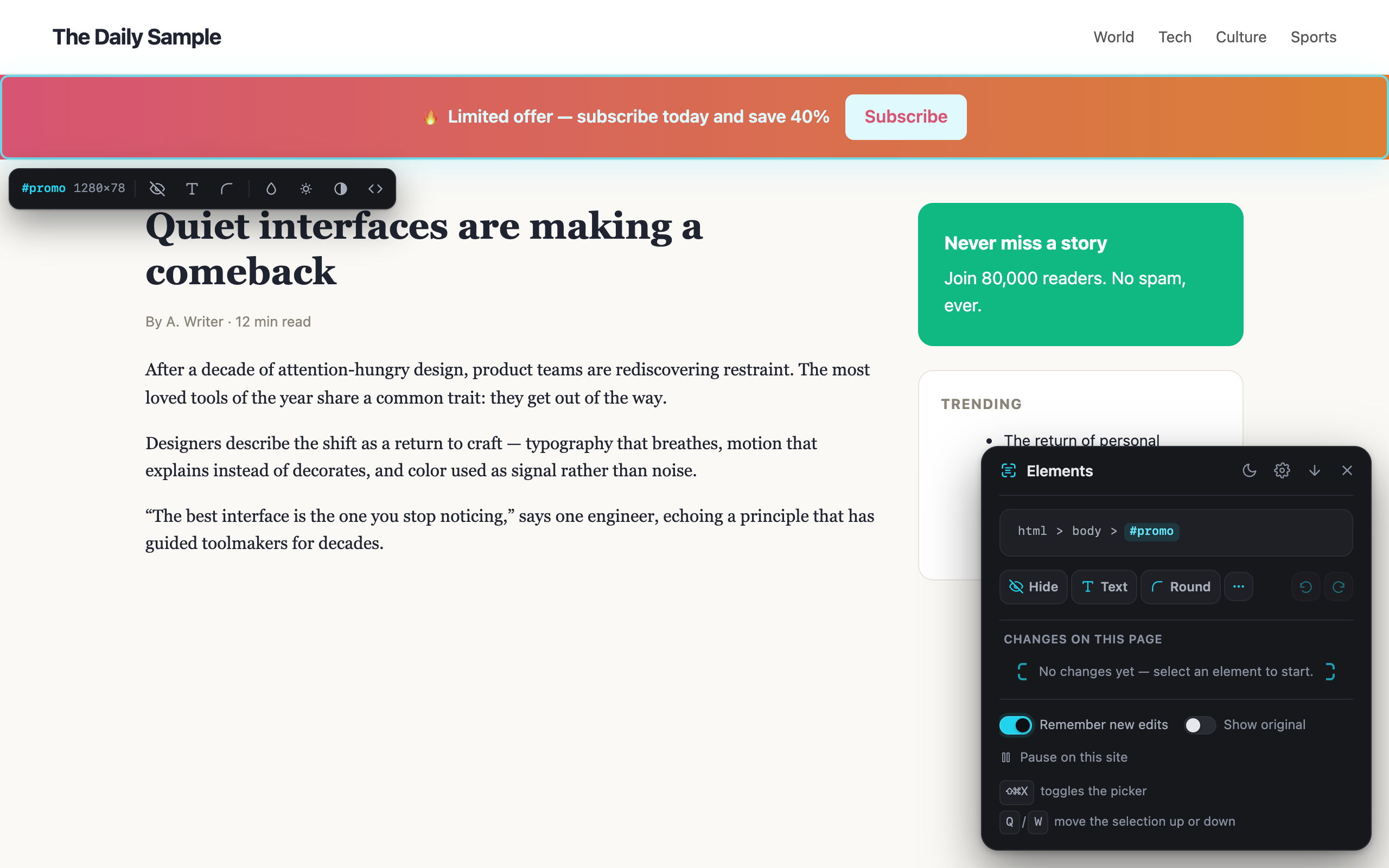
Point at any element. Hide the noise, rewrite visible text, or reshape the page. Elements remembers your edits when you return.
This miniature page uses the same mental model as the extension: select an element, apply an edit, undo whenever you want.
The page is yours to read. Elements lets you remove distractions and make temporary visual edits without sending page content to the developer.
Open the picker only when you need it. Your edits remain reviewable, reversible, and scoped to the site where you made them.
Remove banners, sticky bars, sidebars, comment blocks, and other visual clutter.
Rename a label, fix a typo, or replace a heading without touching the source page.
Round, blur, dim, desaturate, or add custom CSS when the built-in actions are not enough.
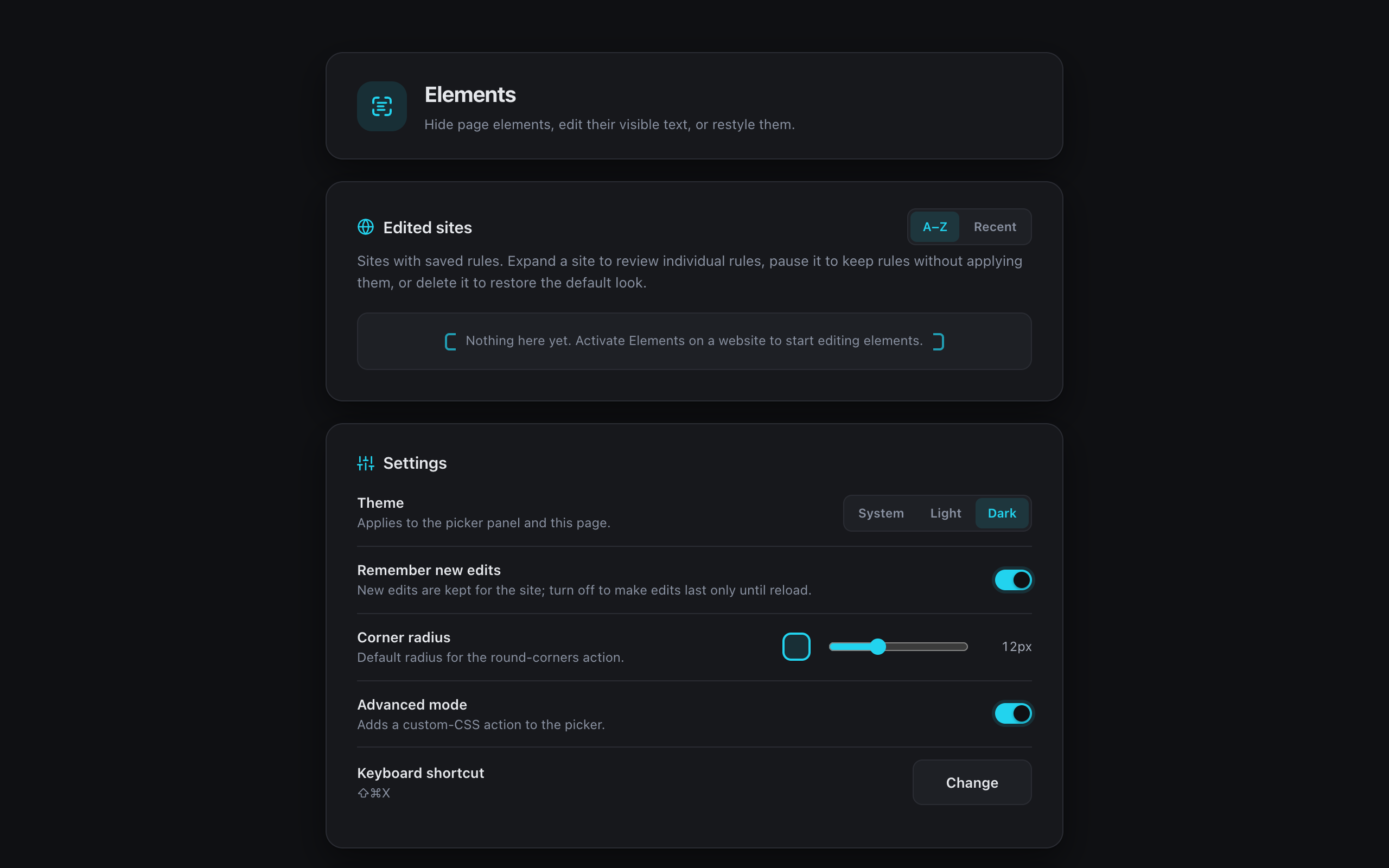
Undo and redo full edits, inspect saved rules, pause them, or remove them individually.
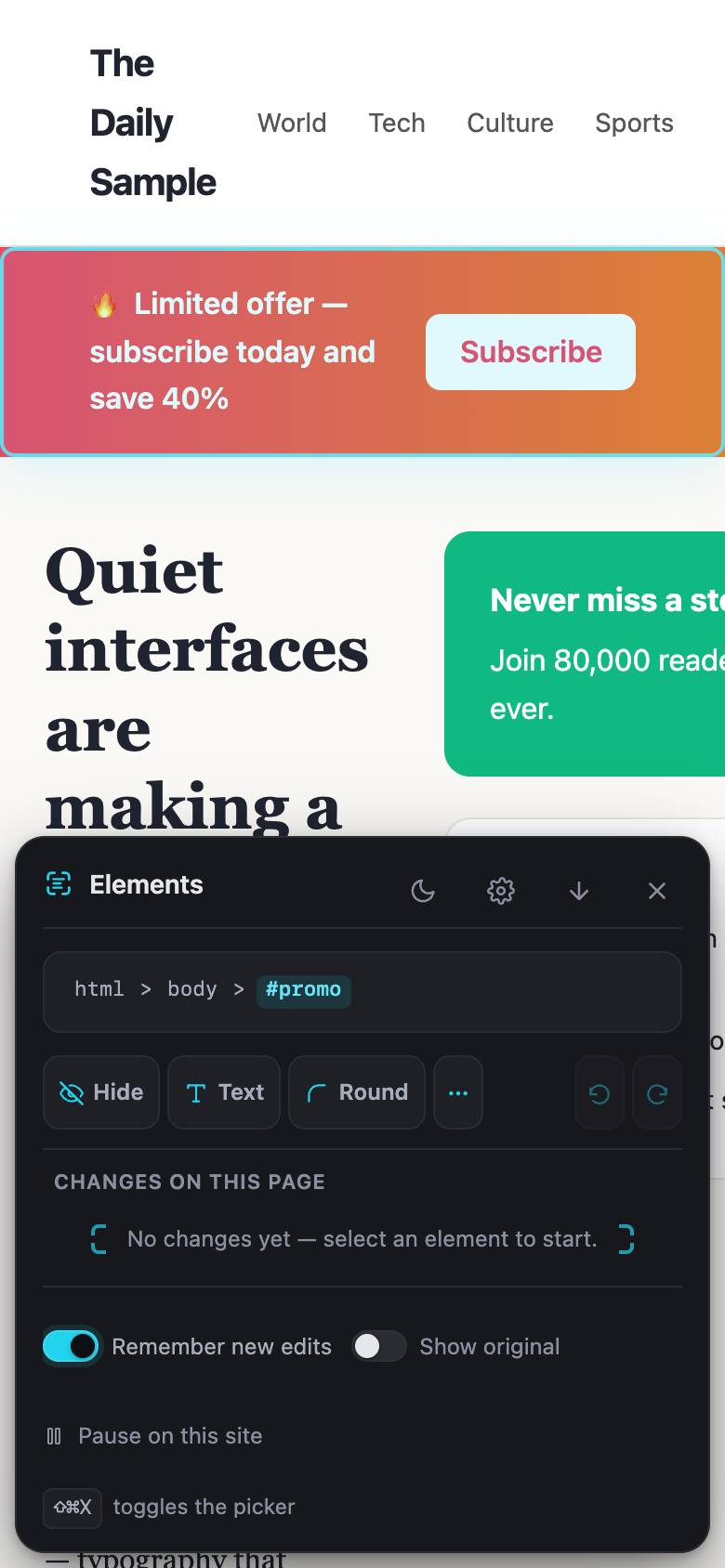
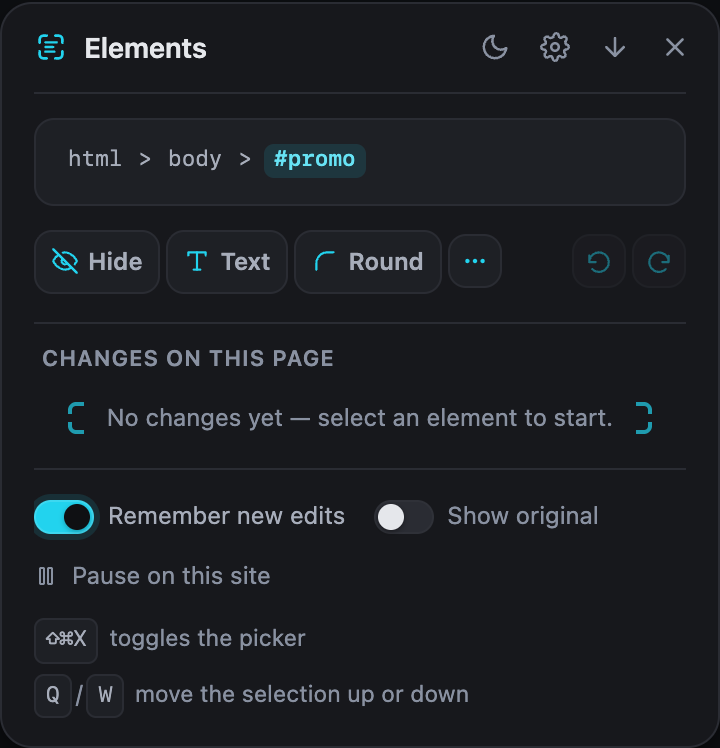
Use Q and W to walk up and down the DOM while the active breadcrumb stays in view.
Remembered rules return on later visits and can use your browser's sync storage.
Choose a view to inspect the picker, the settings hub, or the compact mobile layout.
There is no developer-operated backend. Rules stay in extension storage managed by your browser and may use the browser's own sync service if available.
The archive contains the production Manifest V3 build for Chrome and compatible Chromium browsers. Installation is manual while the store listing is unavailable.
Chromium Manifest V3 build for Chrome and compatible Chromium browsers.
Download ZIPNeed the steps? Read the installation guide. SHA-256 digests are listed in the release notes.
Elements is a Chrome Manifest V3 extension built with TypeScript, React, and WXT. The repository includes automated unit, browser, build, documentation, and release checks.
MV3
Chrome-native release
One focused build for Chrome and compatible Chromium browsers.
LOCAL
Browser-owned data
Settings and rules use extension storage, not a product backend.
A11Y
Keyboard and screen-reader care
Focus handling, labels, and serious Axe violations are tested.
MIT
Open source
Inspect, learn from, modify, or redistribute the code under the MIT
License.
Download Elements, load the Chrome build, and make your first edit in under a minute.